

Waterwheel is a custom game engine and accompanying game I made from scratch to deepen my understanding of low-level development. Making a specific game informed the decisions I made while developing the systems of the engine, allowing me to only focus on what matters for the game. Here is a link to download the game: Waterwheel
I started this project because I had become a little burnt out with the Unity game engine, and wanted to try something new. The first iteration of the engine was in C#, as I hade the most experience with that language at the time. I made decent progress with that version, even making a small editor seen below. But the engine felt overcomplicated and I was still lacking some control I desired.
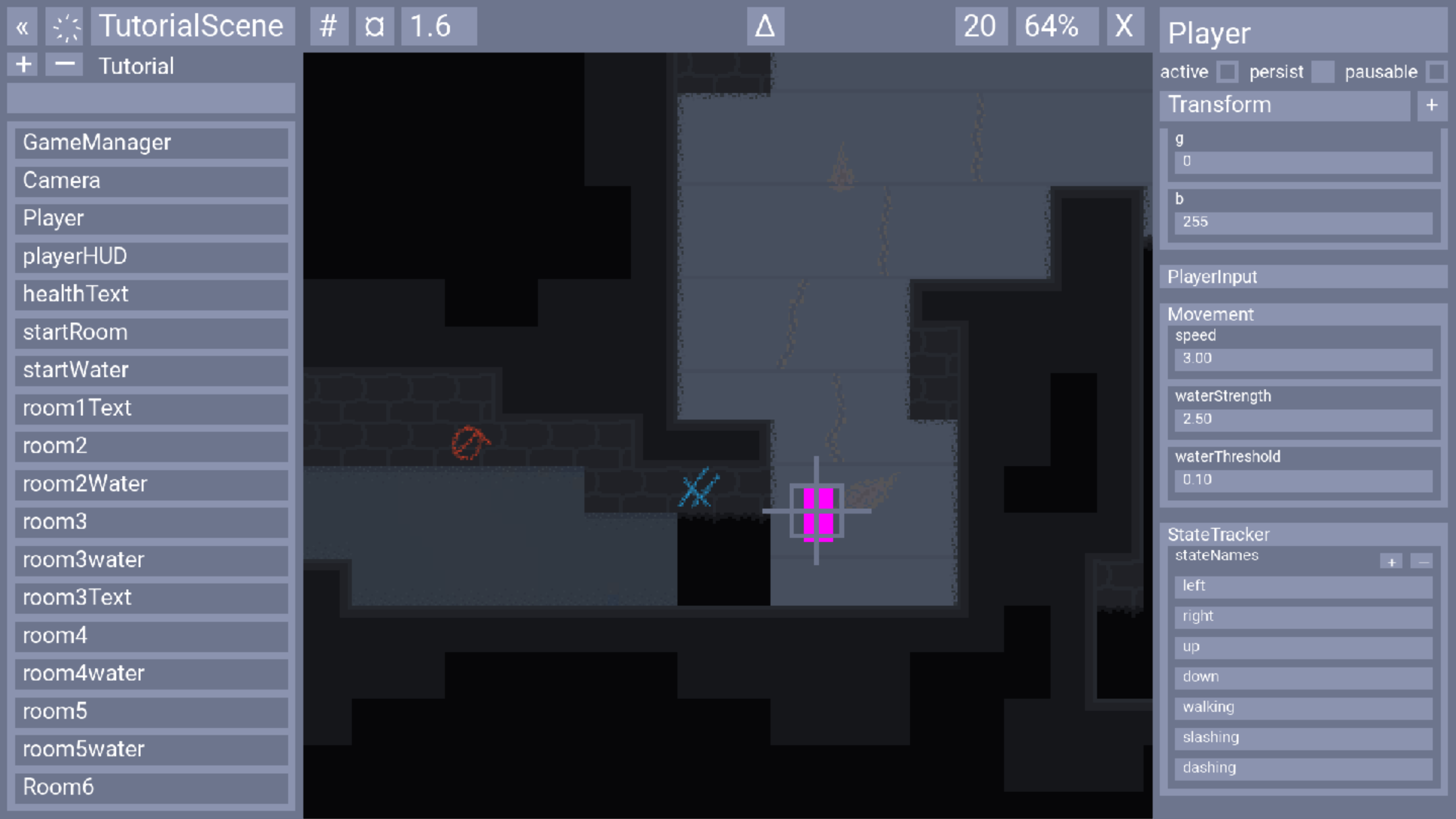
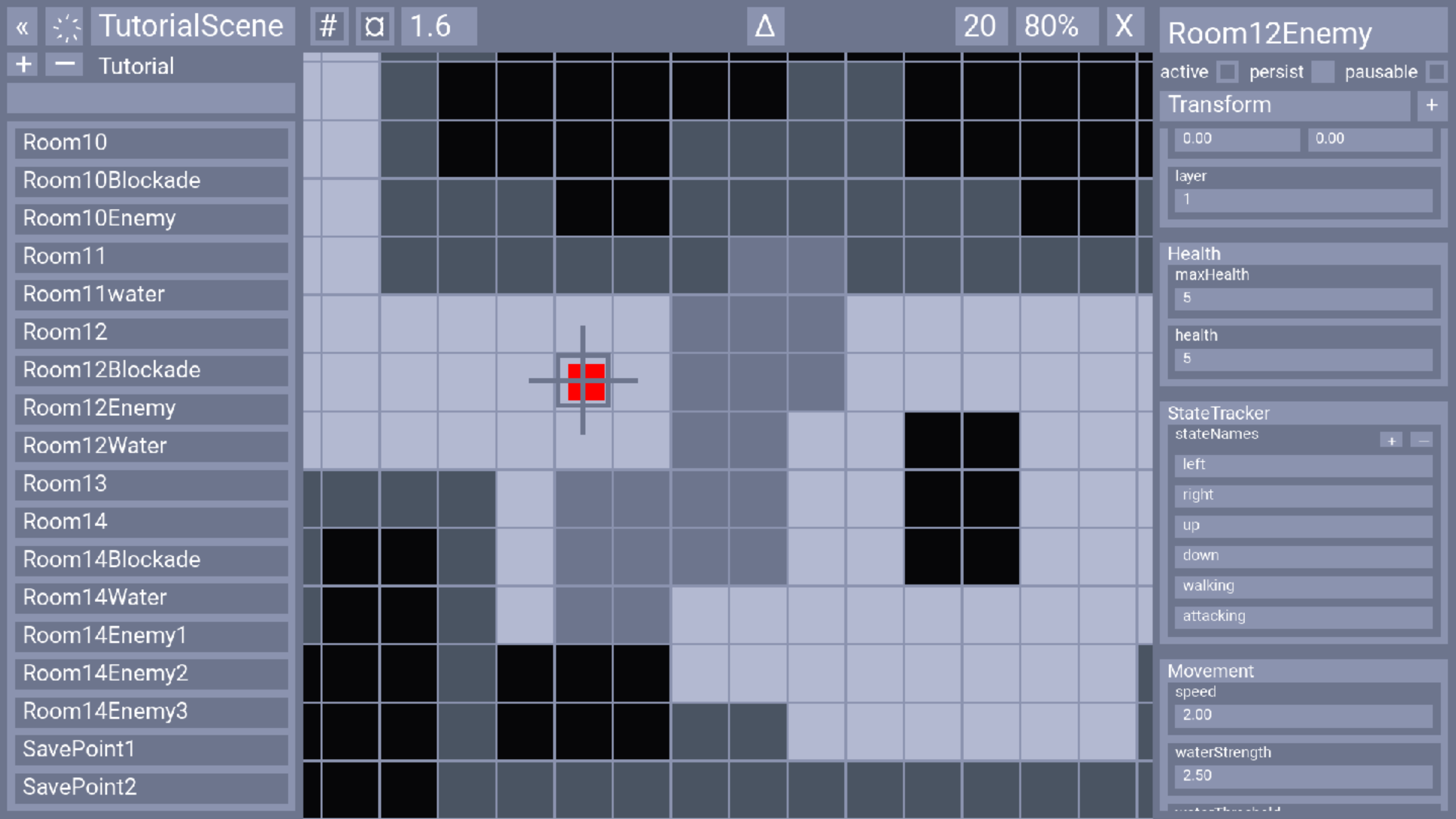
Eventually I decided to restart the project in C++, now following along with the Handmade Hero series. In that series, as few libraries as possible are used, forcing me to program all of the systems like graphics, audio, assets, profiling, etc. Because I only had to program what I needed for my game, each system was relatively simple and so the overall project didn't get too complicated.
By simplifying systems and understanding every aspect of the engine I was able to create a 2D action game that features a neat fluid simulation and runs at a consistently high framerate. I am extremely proud of this project and have learnt so much from developing such an involved piece of software.
While I did make a game, and that process comes with art and design, most of the time was spent programming. As hinted at earlier, there are several systems to the engine, and I don’t want to cover all of them here. That being said, here are a couple of the most interesting ones, in my opinion.
The rendering system is, by far, the most computationally expensive part of the game, and so required quite a lot of attention. The rendering routine to texture map and anti-alias sprites is not a light one, especially when done millions of times per frame. A straightforward optimization is to convert the routine to use SIMD operations using AVX2, which are able to perform computations on several pieces of data in the same amount of time compared to computation on one piece of data. This led to a roughly 4x performance boost, but that was nowhere near enough. Multithreading the program to have different partitions of the screen render at the same time allowed me to hit the 60fps at 4k resolution benchmark I had set.
The asset system is fairly complicated as it, like the renderer, also uses multithreading. While the renderer used multithreading to perform work faster, the asset system uses it to perform work asynchronously. When an asset is requested and isn’t already loaded, a thread is sent to fetch the asset and load it into the asset system, which may take a while. This allows multiple assets to be loaded simultaneously and guarantees there are no framerate dips from long I/O operations.
The profiler was extremely useful when optimizing any system. To ensure the act of profiling had minimal overhead on the executing procedures, very basic info was collected. Only until after the frame ended was any of that data analyzed and presented back to the user. The profiler UI I created allowed the user to view how each thread was performing and to dive into the performance of each function and its respective calls, along with other useful info you can see in the screenshots below. It also keeps track of many of the previous frames, in case there was a particular frame I wished to investigate.
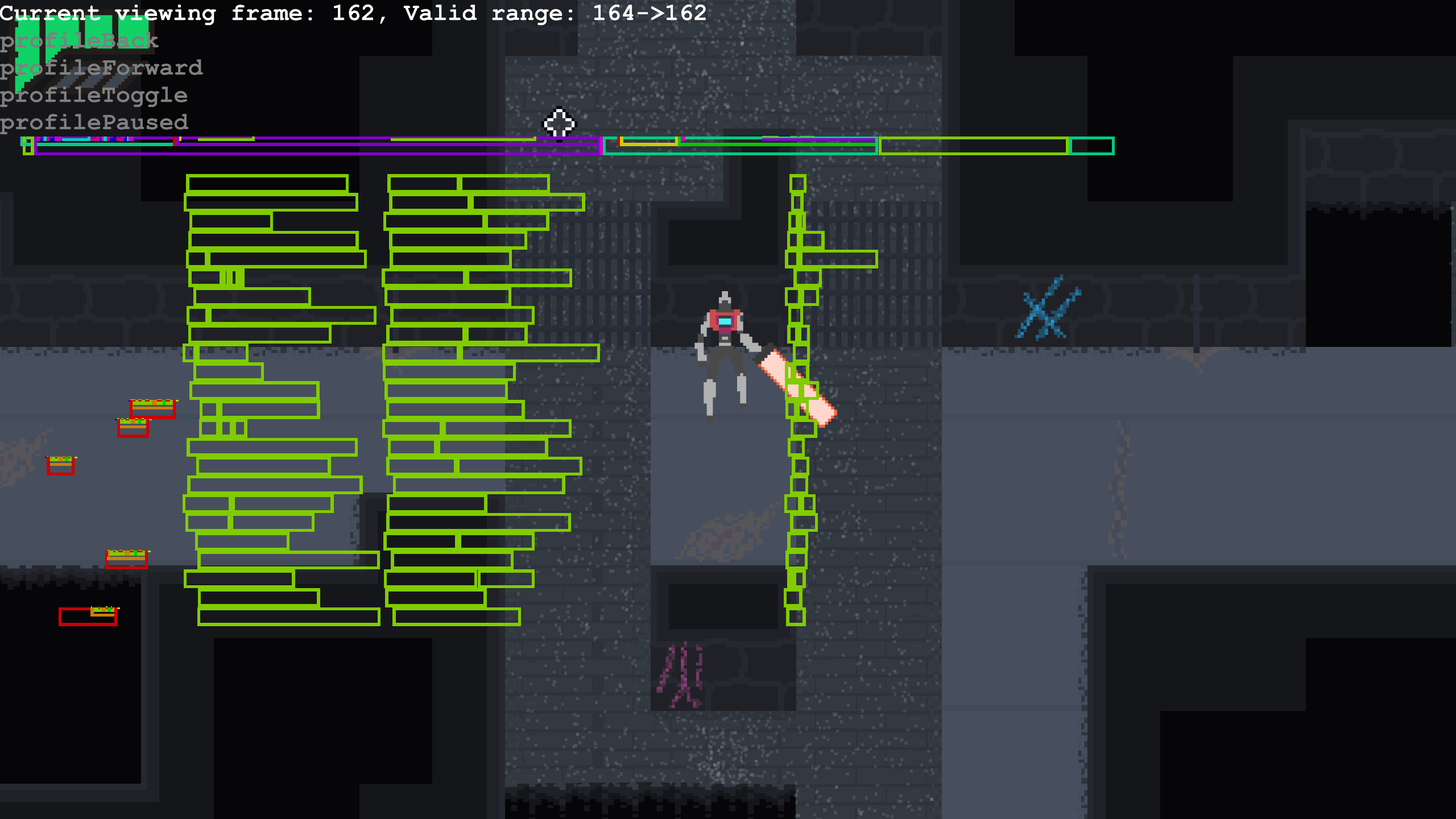
Each row is a seperate thread over the course of the frame.
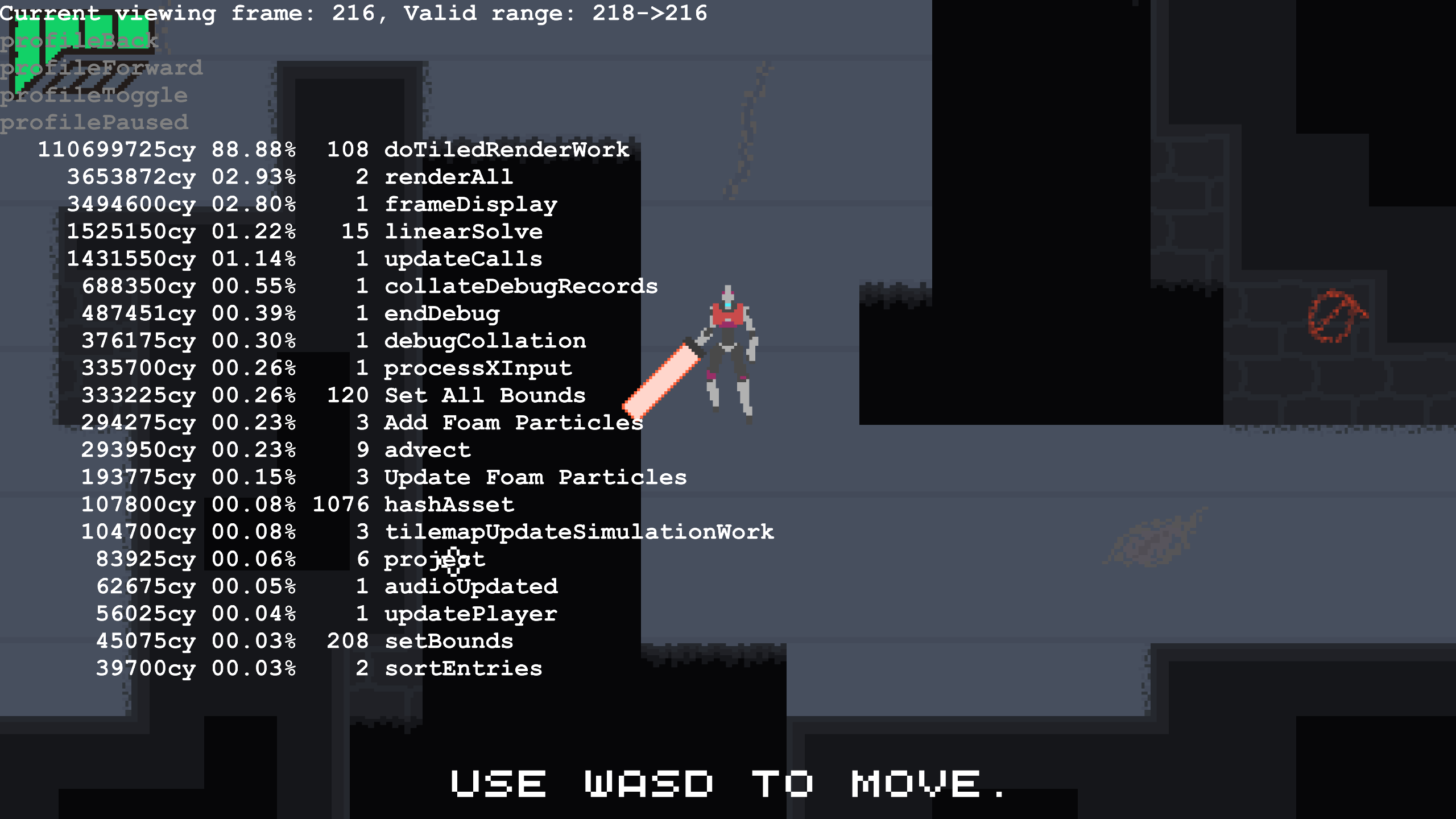
Cycle counts for each function.
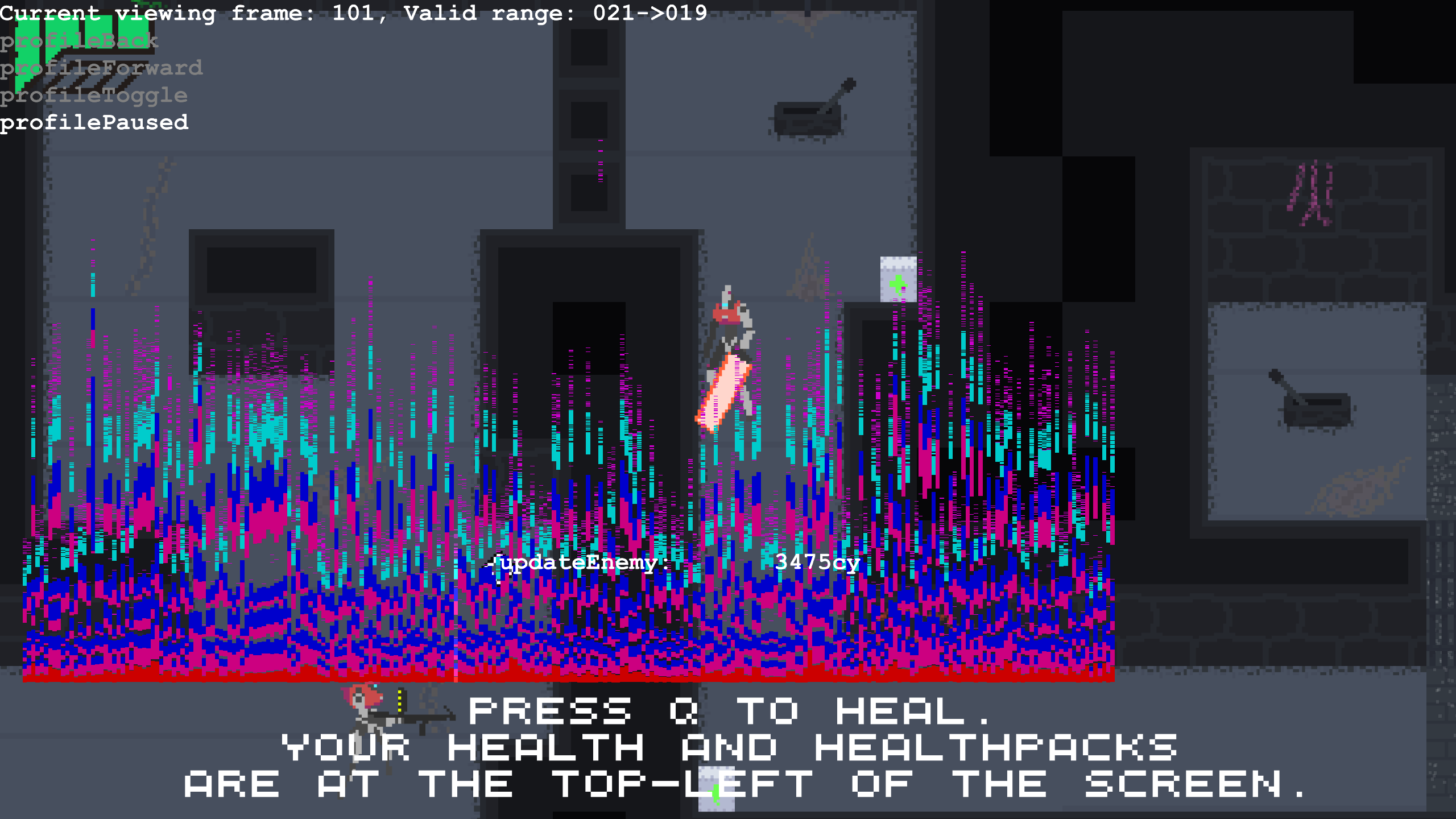
Each column is a rough breakdown of a frame.